 Filter Remover
Remove Vintage Filter from Photo or Video — Restore the Original Look
Drop your filtered photo or video here, or click to upload
No sign-up. Free. Your photos are never stored.
A photo or video that went through a filter doesn't have to stay that way. This tool takes a filtered photo or video and brings back its natural colors — removing the vintage look, the faded tones, the color shifts, and the stickers covering the shot.
Before / After
Before / AfterThree examples below. Each shows the same photo or video before and after — same shot, same composition, the only difference is what was removed.
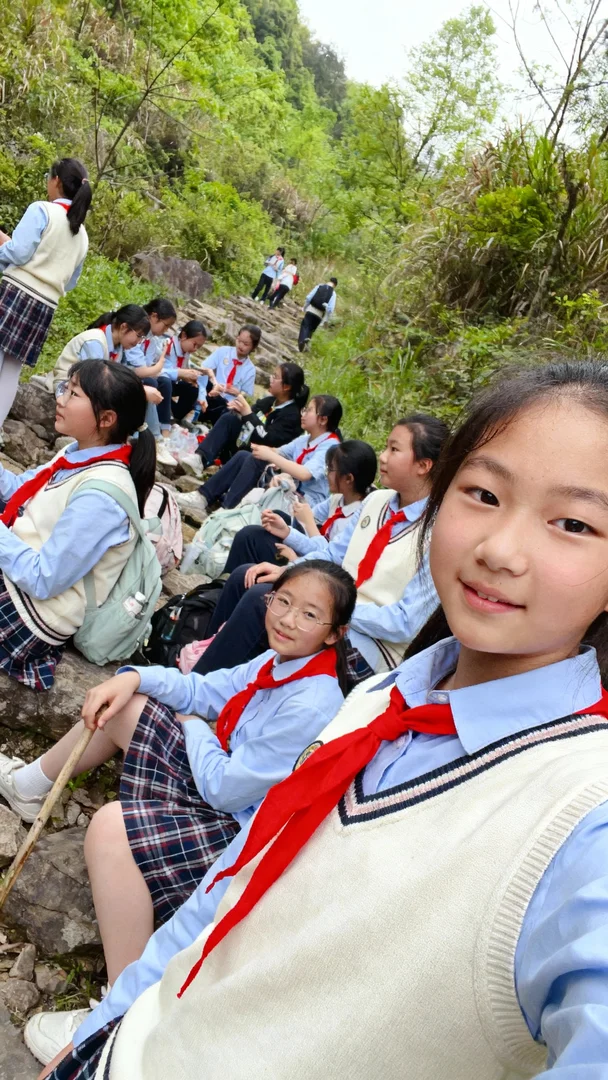
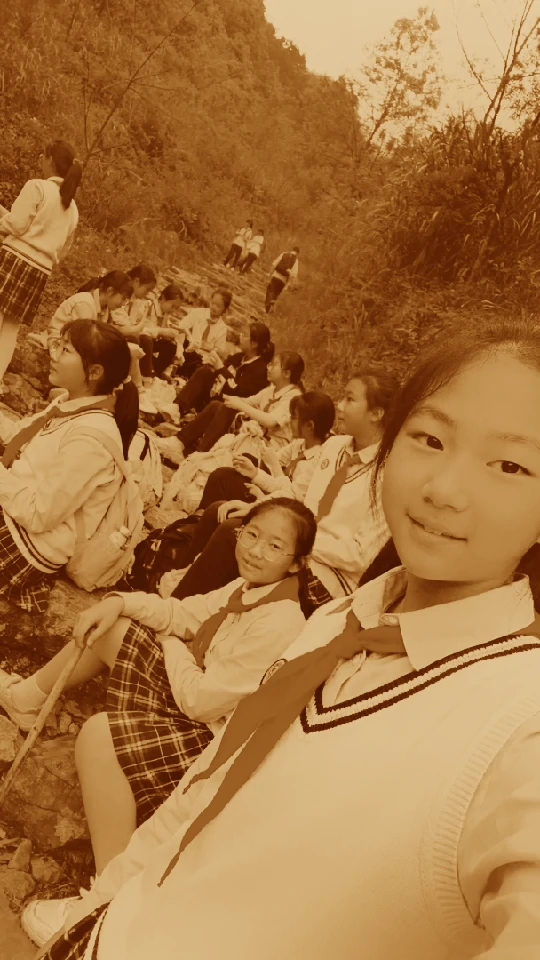
Vintage Filter Removed
The filtered photo on the left; the result on the right.
This removes the faded, sepia, or heavily processed look from a photo and brings the colors back to natural. A photo that looked old and washed out comes out clean, with its real tones restored — not a new look applied, the old look taken off.
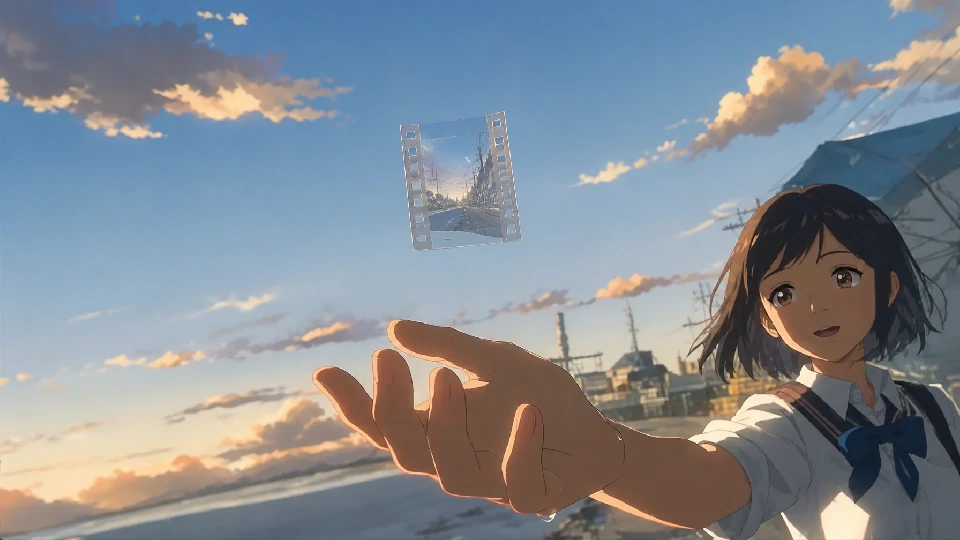
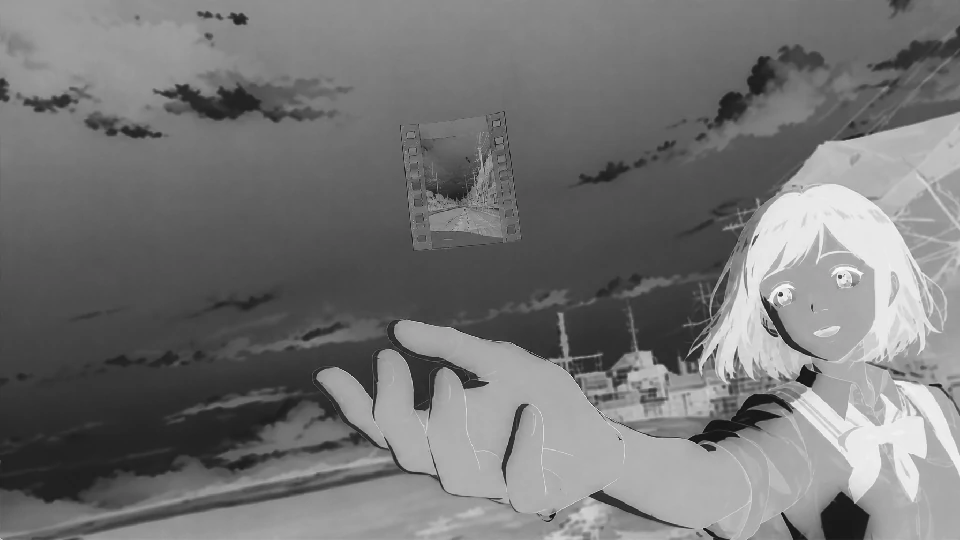
Color Restored
The black-and-white or color-shifted photo on the left; the result on the right.
This restores color to photos that lost it — black-and-white conversions, strongly shifted color casts, or photos where the tones drifted so far that nothing looks right anymore. The result brings back natural skin tones, skies, and backgrounds.


Sticker Removed
The photo with a sticker or emoji on it on the left; the result on the right.
This removes stickers, emojis, and text overlays that cover part of a photo — a face hidden behind a sticker, an important detail blocked by a caption — and fills in the background underneath. The shot comes out whole again.
Upload a photo or video, pick what to fix, export. That's the whole workflow. No editing skills needed, nothing to install, and the original photo or video is never touched.
What It Does
What it doesThree things, each doing one job. Each can be used on its own or combined.
Remove Vintage Filter
Removes the faded, sepia, and processed look from a photo or video and brings back natural colors and tones. This is the core of the tool: taking off what a filter put on.
It works on any photo or video that went through a vintage or retro filter: faded colors, warm brown casts, dulled contrast. What's left is the photo or video as it actually looked.
Restore Color
Brings color back to photos and videos that lost it — black-and-white conversions, color-shifted footage, and shots where the tones drifted out of balance. The result is natural, not recolored.
It works on photos and videos where the color is wrong, not where it's absent by design. A deliberately black-and-white shot stays as it is — this is for shots that should be in color and aren't.
Remove Stickers & Overlays
Removes stickers, emojis, and text covering part of a photo or video, and reconstructs the background underneath so the shot looks whole.
It works on selfies with stickers slapped over the face, group photos where someone's face got covered, and any photo or video where an overlay got in the way of the shot underneath.
What it doesn't do: it doesn't add things that weren't there, doesn't change faces or objects, and doesn't apply new filters. It takes off what was added — nothing more.
Input and output: JPG and PNG photos, and MP4, WebM and MOV videos. Exports come out at the same resolution as the original.
How to Use
Three steps- 1
Step 1 — Upload a Photo or Video
Open the tool in your browser, on your computer or your phone. Drag a photo or video in, or pick one from your files. JPG and PNG photos, MP4, WebM and MOV videos all work.
- 2
Step 2 — Pick What to Fix
Choose what to remove: the vintage filter, the color loss, or the stickers and overlays. You'll see the result immediately — no hidden settings, no trial and error.
- 3
Step 3 — Export
Download the restored photo or video at its original resolution, ready to post, print, or share.
Where to Use It
Where it helpsPosting on Social Media
A photo or video ruined by a filter doesn't need to stay that way. Remove the vintage look and post it as it actually looks — natural colors, the way you remember the moment.
Printing
Filtered photos look wrong in print — the colors that looked "artsy" on screen look dull and off on paper. Restore the photo first, then print it, and it comes out the way it should.
Professional Contexts
A distorted or heavily filtered photo is not the one you want on a resume, a profile, or a formal document. Restore the natural look — the photo of you, not the photo of a filter.
Re-Sharing
Old photos with heavy filters, group photos with stickers on faces, screenshots with emojis covering the important part — clean them up before sending them on, and the photo underneath finally gets seen.
Photos and Videos You Received
A relative or friend sends a photo or video that's been run through a vintage filter — the only version you have. You want to print it, keep it in the family archive, or use it somewhere formal. Restore it to natural colors first, and it becomes usable for what you actually need.
Reusing Photos and Videos at Original Colors
A photo or video that went through a vintage filter is now needed for something that requires real colors — a design project, a print job, a new edit. Restore the original tones before putting it to work, so the result matches what it actually looked like.
Why Use This
Get your photo or video backDrop your filtered photo or video here, or click to upload
No sign-up. Free. Your photos are never stored.
- Upload
- Pick what to fix
- Export
Why Use This
Free.
No paywall, no trial, no "premium" version. Every feature is available, no payment required.
No sign-up.
No account, no email, no login. The tool is the page — open it and it works.
Online.
Runs in your browser, on desktop or phone. Nothing to download, nothing to install.
Private.
Your photos and videos are processed and never stored. Nothing is saved on our servers, and nothing is used for anything else.
- That's it. No Photoshop to learn, no install, no account. If you can upload a file, you can use it.
Frequently Asked Questions
FAQCan it fully restore the original photo or video?
Light filters can be removed completely. Heavily processed photos and videos — multiple filters stacked, extreme effects — may not return 100% to the original, but the colors and tones will be brought much closer to real. The tool does what's possible, honestly.
Will it change what's in my photo or video?
No. It removes filter effects and overlays — it doesn't add or remove people, objects, or details from the shot itself. What's in the shot stays in the shot.
Do I need Photoshop?
No. Upload a photo or video, pick what to fix, export. There is nothing to learn.
Does it work on my phone?
Yes. It runs in your browser, so it works on a phone, a tablet, or a desktop. No app to install.
Do I need an account?
No. There is no sign-up and no login. Open the page and use it.
Are my photos or videos stored?
No. Your photos and videos are processed and not saved. Nothing is kept on our servers after the job is done.